Introduction
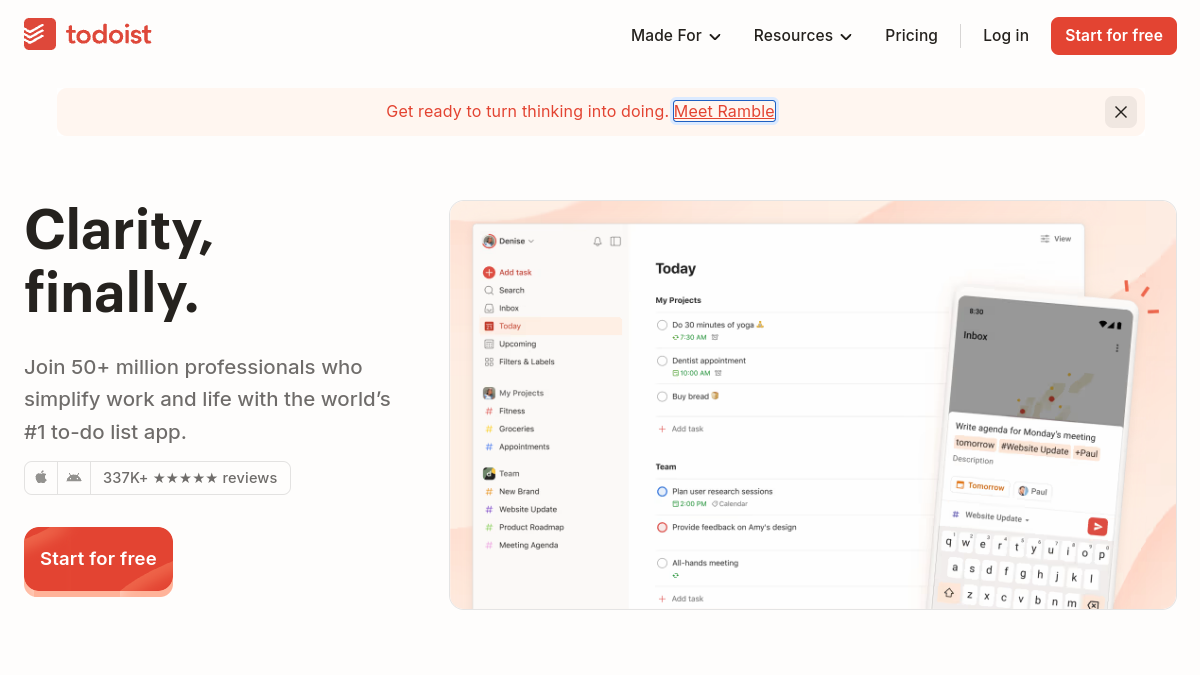
Todoist is a task management application designed to help individuals and teams organize their work and personal tasks. With a focus on simplicity and efficiency, Todoist provides a centralized place to capture, organize, and prioritize to-dos. It is available on multiple platforms, including phone, tablet, watch, desktop, and web, ensuring that users can access their tasks wherever they are. Todoist is trusted by millions of users worldwide and has been recognized for its user-friendly interface and powerful features.
What is Todoist?
Todoist is a to-do list app that aims to bring clarity and order to your tasks. It allows you to capture tasks quickly using natural language, organize them into projects, and schedule due dates. The app is designed to be an extension of your mind, helping you focus on what's important. Todoist also offers team collaboration features, enabling shared projects and task assignments. It has been in development for over 19 years and is used by professionals and individuals alike.
What makes Todoist stand out?
- Natural language input: Capture tasks at the speed of thought using easy-flowing, natural language.
- Cross-platform availability: Access Todoist on phone, tablet, watch, desktop, and web.
- Team collaboration: Shared spaces for team tasks, separate from personal projects.
- Templates: Over 50 templates for various use cases, from work to personal life.
- Integrations: Works with tools like Google Calendar, Slack, Microsoft Teams, and more.
- AI-powered features: Smart features that help transform scattered tasks into clear action plans.
- Security: Enterprise-grade security with SOC2 Type II certification.
- Longevity: Independently bootstrapped and remote since 2011, with a commitment to never sell out.
Who is it for?
- Individuals: For personal task management, habit forming, and time management.
- Teams: For project management, teamwork, and shared task tracking.
- Professionals: Used by over 50 million professionals to simplify work and life.
- Various industries: From financial technology to creative agencies, real estate, law firms, and more.
- Anyone seeking clarity: For those who want to organize their work and life in one place.
What can you do with Todoist?
- Capture tasks: Quickly add tasks using natural language.
- Organize tasks: Sort tasks into Today, Upcoming, or custom filters.
- Plan your week: Schedule due dates, visualize your week in calendar view, and set recurring tasks.
- Collaborate with your team: Share projects, assign tasks, and track progress.
- Use templates: Kickstart projects with pre-made templates for various scenarios.
- Integrate with other tools: Connect Todoist with your existing stack, including email, Slack, and calendar apps.
- Automate routines: Use the API, CLI, or MCP server to automate task management.
- Stay focused: Use reminders, priority levels, and labels to focus on what matters most.
How does Todoist work?
Todoist works by providing a digital space where you can input tasks, organize them into projects, and set due dates or reminders. The app uses natural language processing to interpret task details like dates and times. You can create shared projects for team collaboration, assign tasks to team members, and track project health. Todoist syncs across all your devices, so your task list is always up to date. It also integrates with various other tools, allowing you to capture tasks from emails, Slack messages, and more. The AI-powered features help you manage tasks more intelligently.
Pricing
Todoist offers both free and paid plans. The free plan provides core task management features, while the Pro plan includes additional capabilities. For specific pricing details, please visit the Todoist website.